


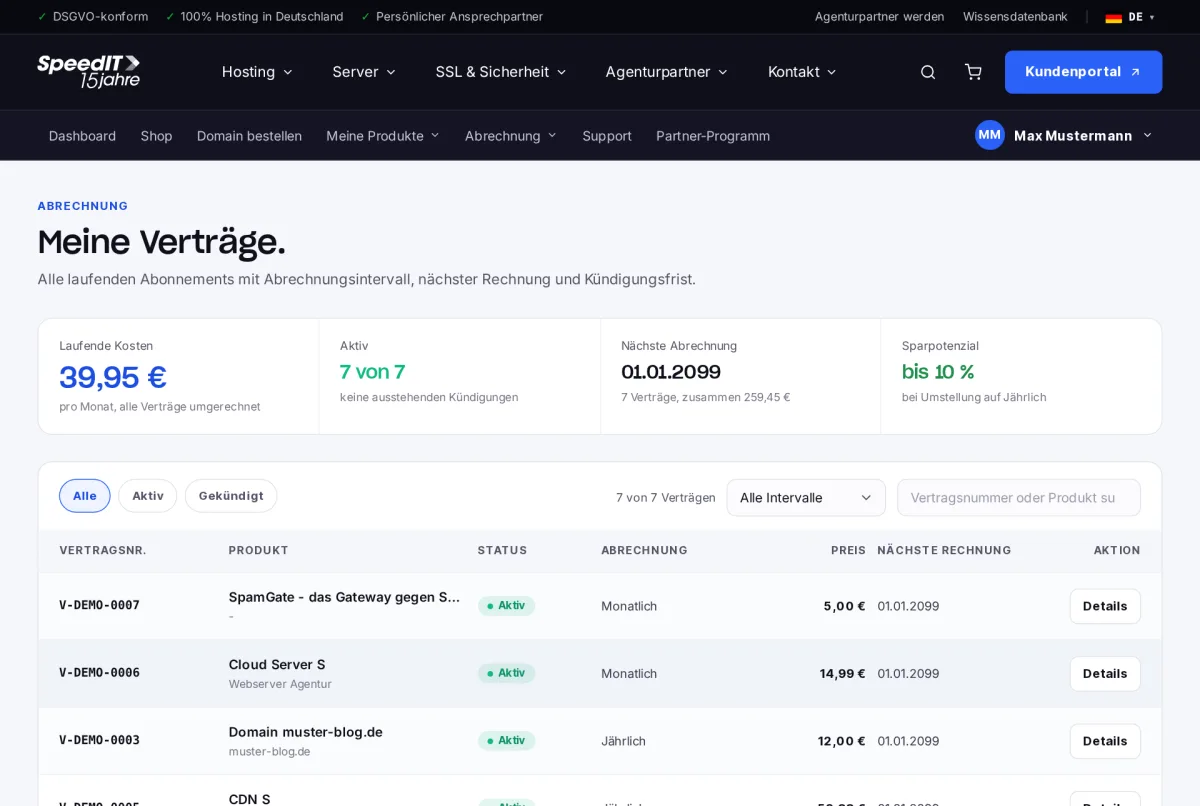
Under Billing → Contracts, you will find all your current subscriptions. At the top, you can see your current monthly costs (all contracts combined), your next billing date and the potential savings if you pay annually.
Contract details
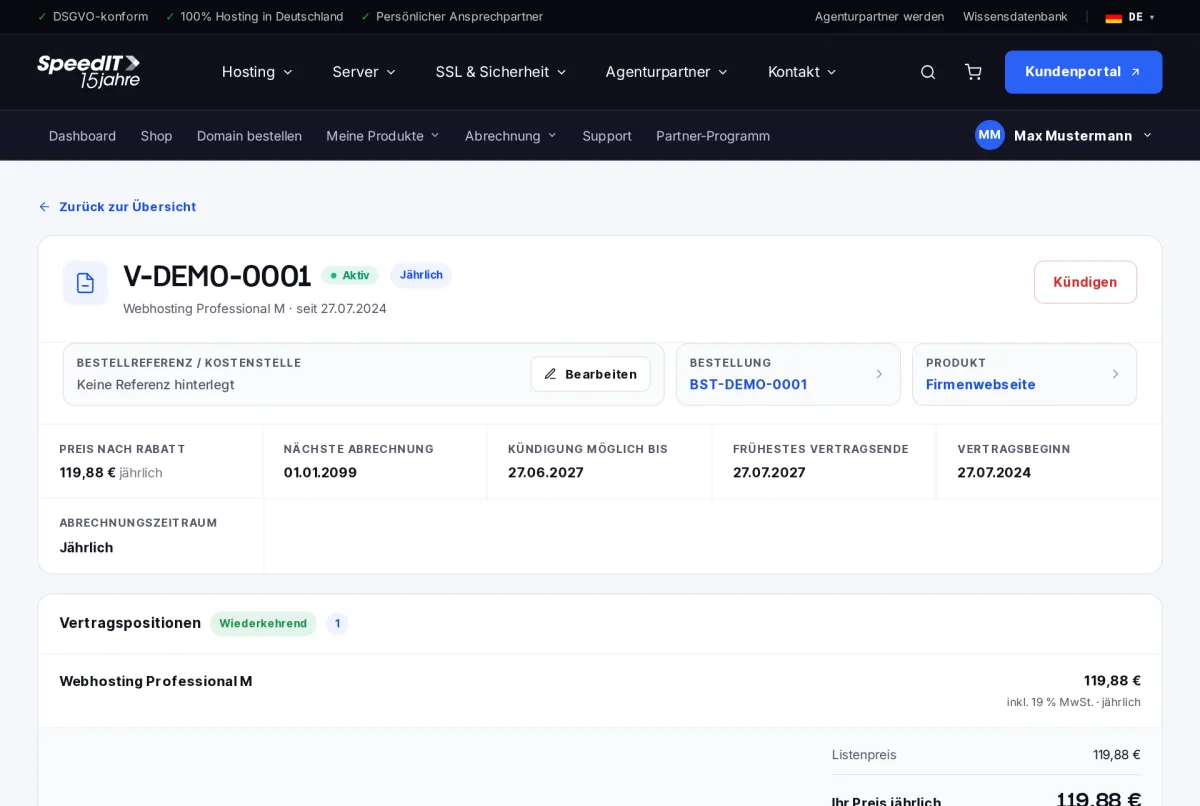
Select ‘Details’ to open a contract. There you will see:
- Termination possible until and earliest contract end date
- Contract start date and billing period
- All contract items with prices
- The most recent invoices for this contract
- A dedicated order reference / cost centre that appears on your invoices
Cancel contract
- Open the contract and click on ‘Cancel’.
- The customer portal will show you the earliest possible cancellation date.
- Confirm the cancellation. You will receive a confirmation by email.
You will be able to use the service without restriction until the end of the contract.
Back up your data in good time
When the contract ends, the associated data will be deleted, for example websites, databases and emails. Please back up anything important beforehand.
Do contracts renew automatically?
Yes, contracts are automatically renewed for the relevant billing period unless they are cancelled in good time. You can find the deadline under ‘Cancellation possible by’.
Can I withdraw my notice of termination?
As long as the contract is still in force, yes. Please contact our support team for this.