


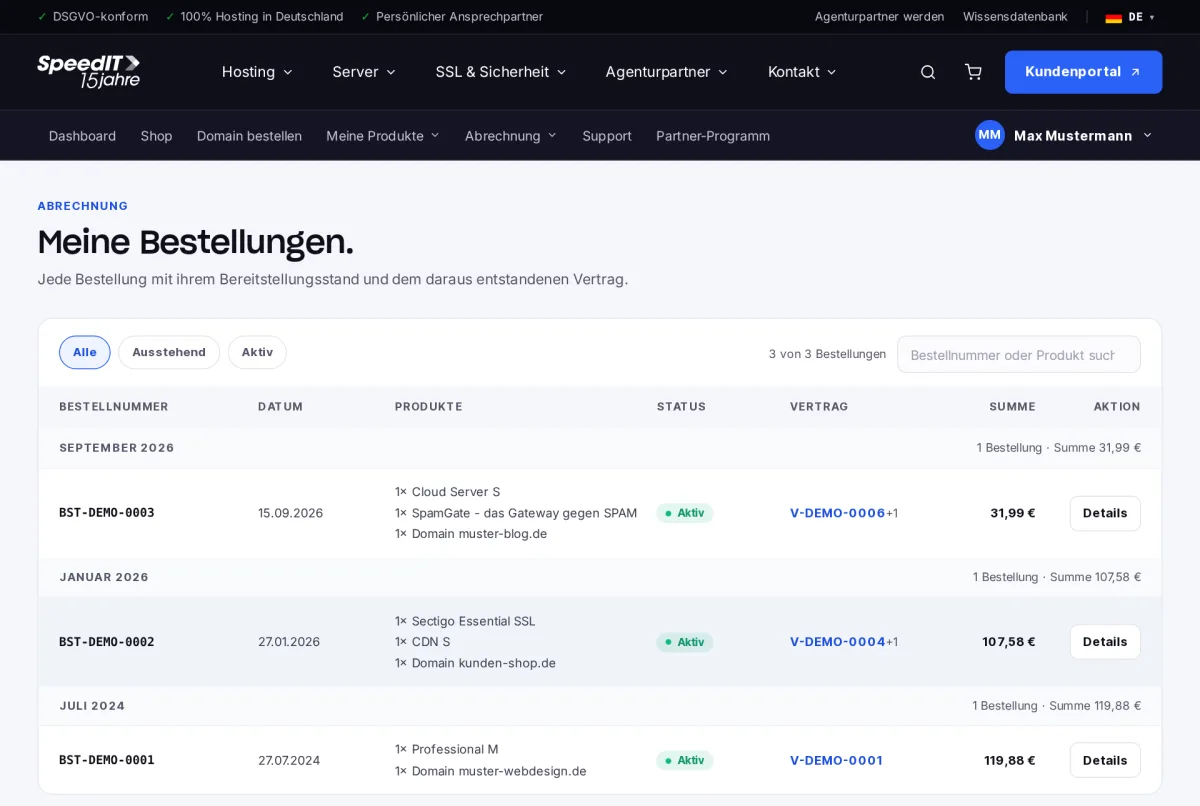
Under ‘Billing’ → ‘Orders’, you can view all orders, including the date, products, status, associated contract and total.
Order status
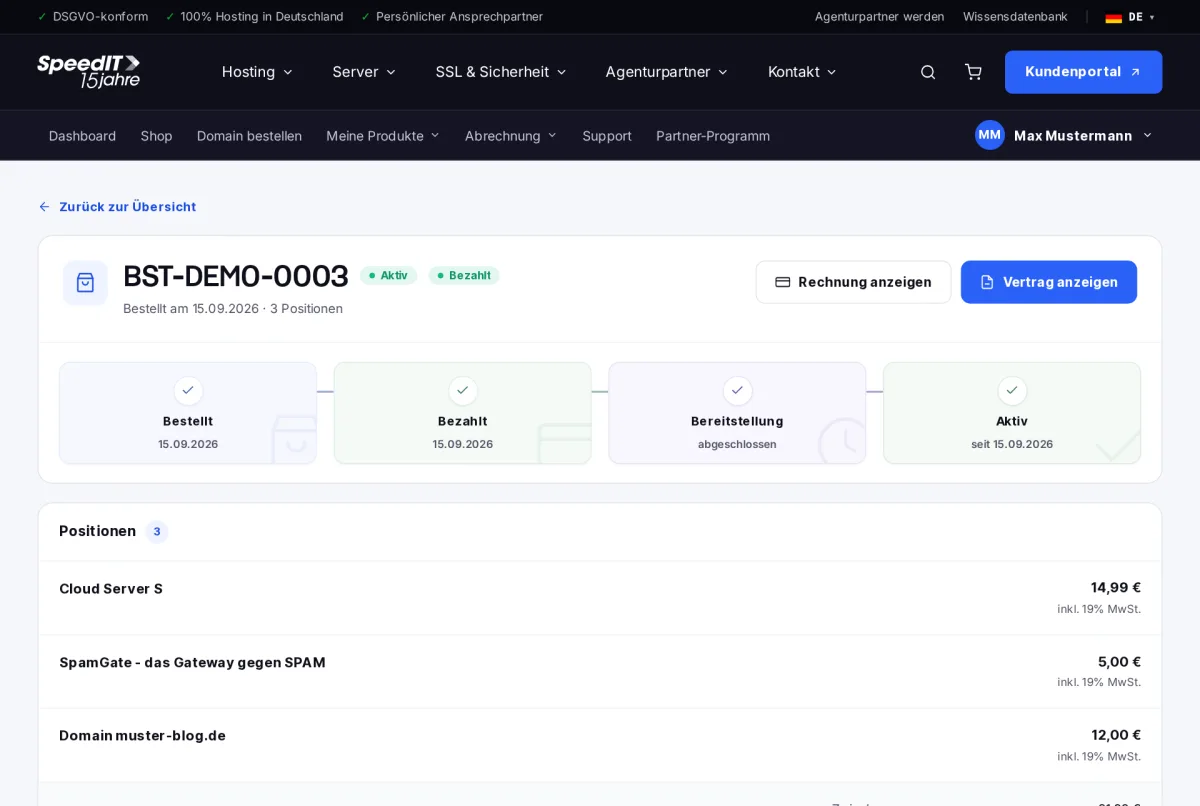
In the details view, a timeline shows the current status of your order:
- Ordered - Your order has been received.
- Paid - we have received your payment.
- Preparation - we are setting up your products.
- Active - your products are ready for use.
Contract and Invoice
At the bottom of the order, the customer area provides links to the contract arising from the order and the corresponding invoice.
How long does provisioning take?
Most products are available within a few minutes of payment being received. Domains and SSL certificates may take a little longer, depending on the domain extension or the validation process.