


SpamGate holds emails with a high spam score or viruses in quarantine. You can view them in the details of your service under the ‘Quarantine’ tab - the number is also shown at the top next to ‘Quarantine’.
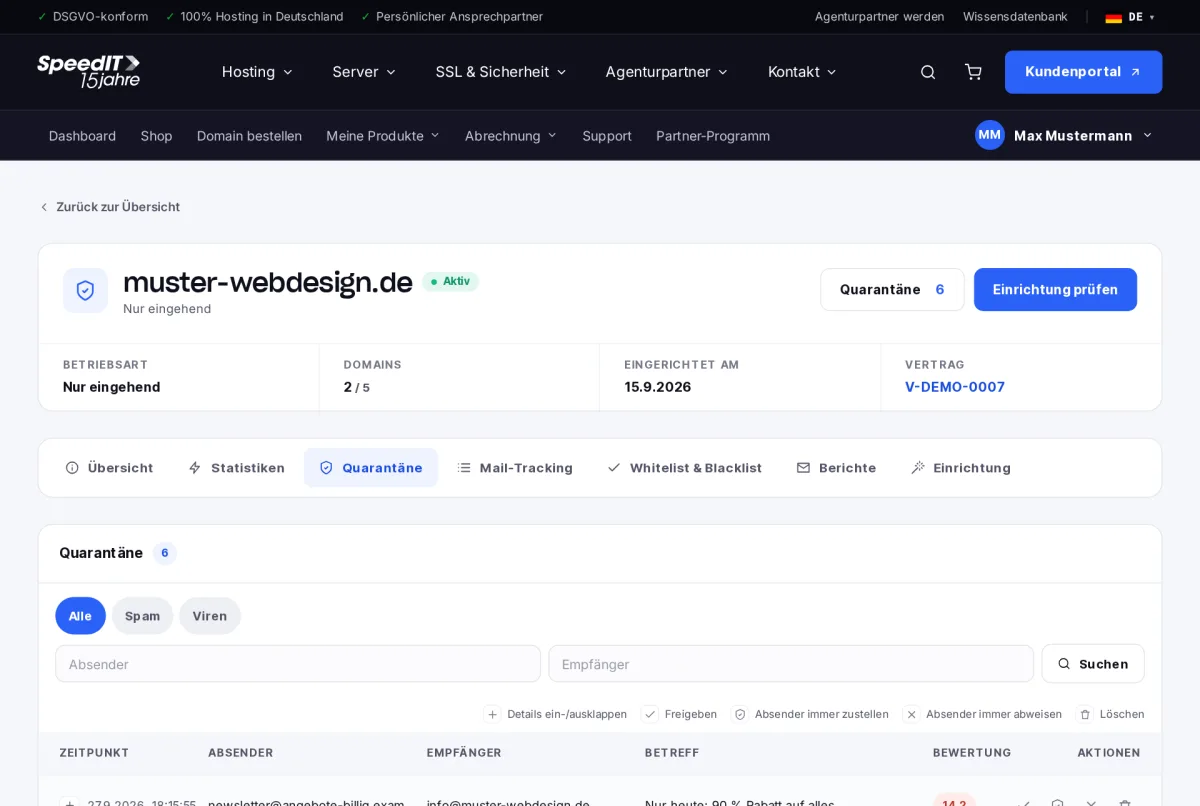
Check messages
Use the tabs to filter by ‘Spam’ or ‘Viruses’ and search by sender or recipient. The score indicates how suspicious a message is - the higher the score, the more likely it is to be spam. Click ‘Expand/Collapse Details’ to see which rules were triggered.
Actions
- Approve - the email will be delivered to the recipient
- Always deliver from this sender - approve and add to the whitelist
- Always reject sender - added to the blacklist
- Delete - the message is permanently removed
Be careful when viruses are detected
Only open emails that have been flagged as containing viruses if you know the sender and were expecting the message. If in doubt, do not open any attachments.
How long do emails remain in quarantine?
Messages in quarantine are automatically deleted once the retention period has expired.
Will I be kept informed about any new developments regarding quarantine?
Yes, if you wish. In the ‘Reports’ tab, you can specify whether and how often you would like to receive a summary by email.