


In the Statistics tab, you can see how many emails have reached your domains and how many of these were identified as spam or blocked. Select the time period: Today, Yesterday, 7 days or 30 days.
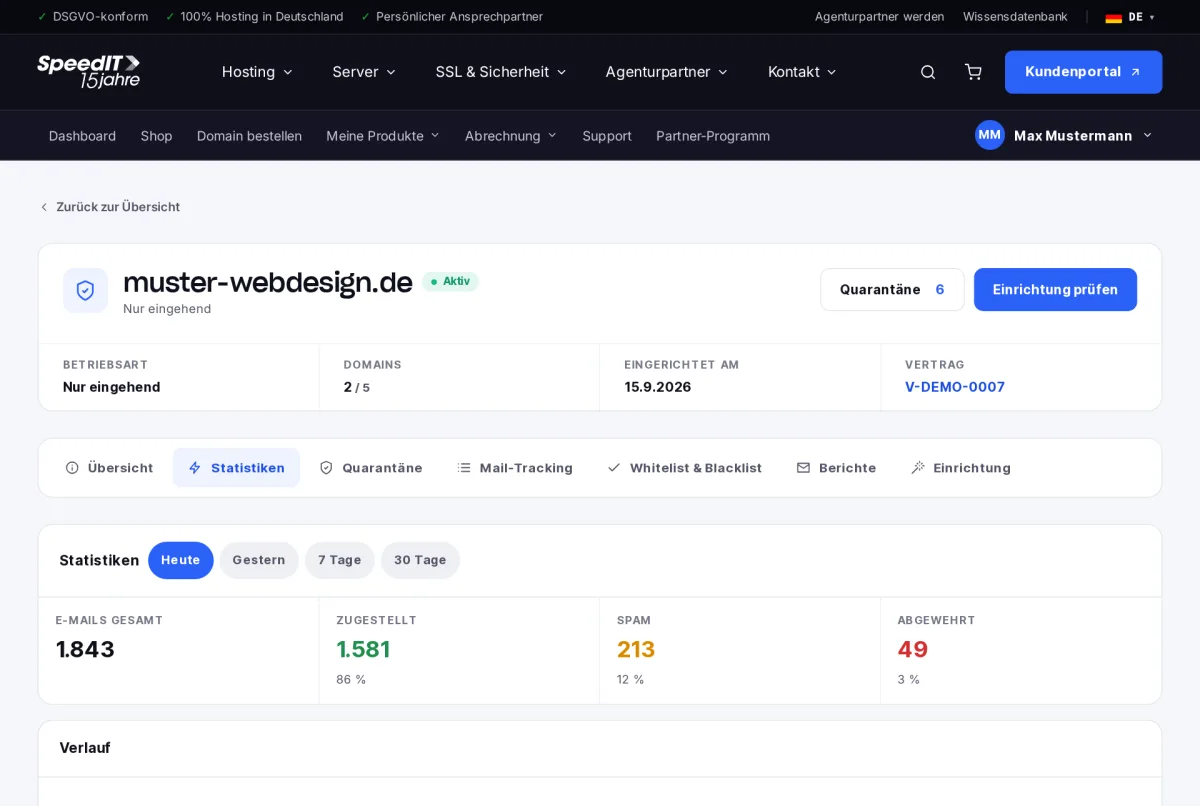
Key figures
- Total emails - all messages received
- Delivered - forwarded to your mail server
- Spam - identified as spam and placed in quarantine
- Blocked - rejected upon receipt
History, senders and recipients
The history shows the volume over time, including peak values and averages. Below this, you’ll find the most frequent senders and the emails per recipient - helpful for identifying suspicious mailboxes.
Spam score distribution
Every email is assigned a spam score. Emails with a score of 3 or higher are placed in quarantine, whilst those with a score of 8 or higher are rejected immediately.
Why is the proportion of spam higher on some days?
Spam surges occur at irregular intervals. A temporary increase in the proportion of spam is normal and indicates that the filter is working.