


Open the outstanding invoice under Billing → Invoices. In the ‘Pay now’ section, you will see the outstanding amount, the due date and all available payment methods.
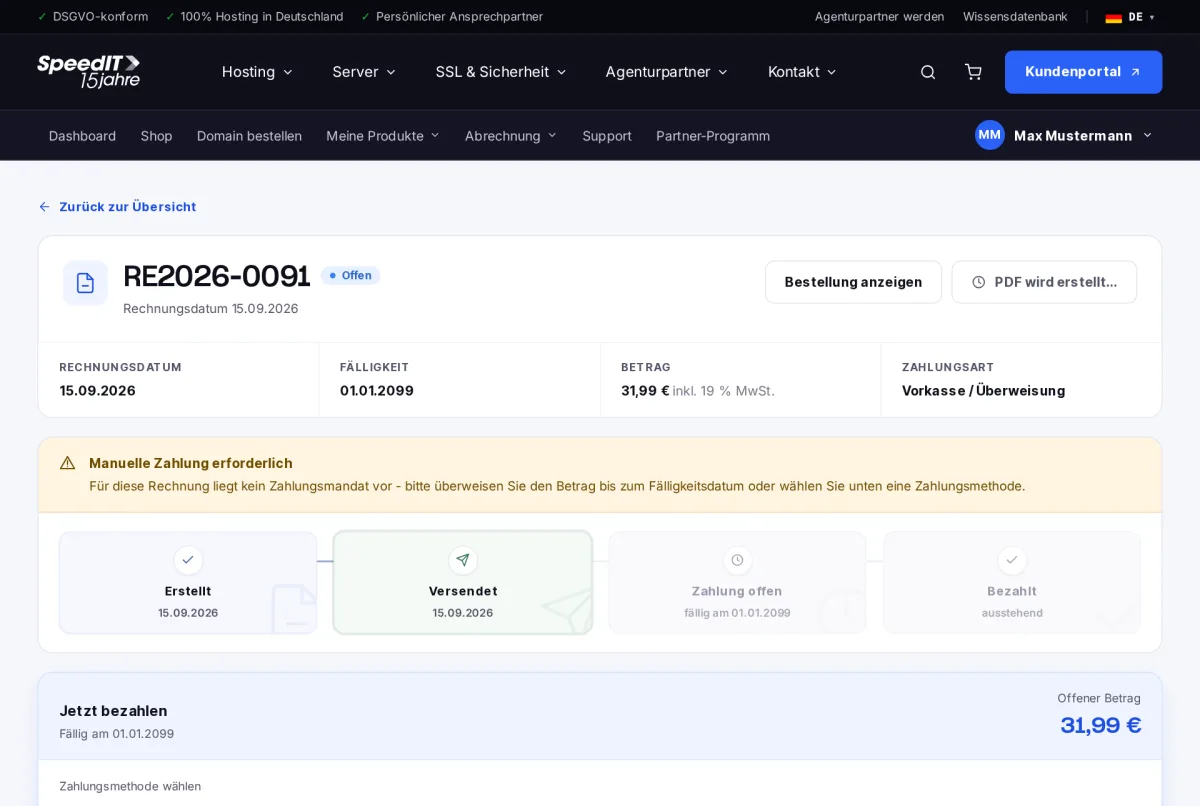
How to pay
- Select a payment method: prepayment/bank transfer, credit card, SEPA direct debit, PayPal or credit balance.
- Follow the steps for your chosen method.
- Once payment has been received, the invoice status will change to “Paid”.
Pay by bank transfer
Transfer the amount by the due date and quote the invoice number as the payment reference. You’ll find the bank details on the invoice.
Paying with credit balance
If you have credit, you can use it to settle the invoice in full or in part. Find out more in the article ‘Top up and use credit’.
No more manual payments
If you have a payment method on file and automatic payment is enabled, invoices will be settled automatically. The ‘Manage payment methods’ section explains how this works.
What happens if I don’t pay a bill on time?
You will first receive a payment reminder. If the invoice remains unpaid, further reminders will follow; in some cases, the service in question may be restricted.
Are there any PayPal fees?
A fee may apply to payments made via PayPal. This will be shown directly in the payment method details before you make the payment.