

Skip to content
  • GDPR-compliant
  • 100% hosting in Germany
  • Personal contact
  • Support included
  • Provisioning within 24 hours
Konto & Sicherheit 1 min read

Setting up two-factor authentication (2FA)

With two-factor authentication (2FA), after entering your password, you also enter a six-digit code that an app on your smartphone generates anew every 30 seconds. Even someone who knows your password cannot access your account without your smartphone.
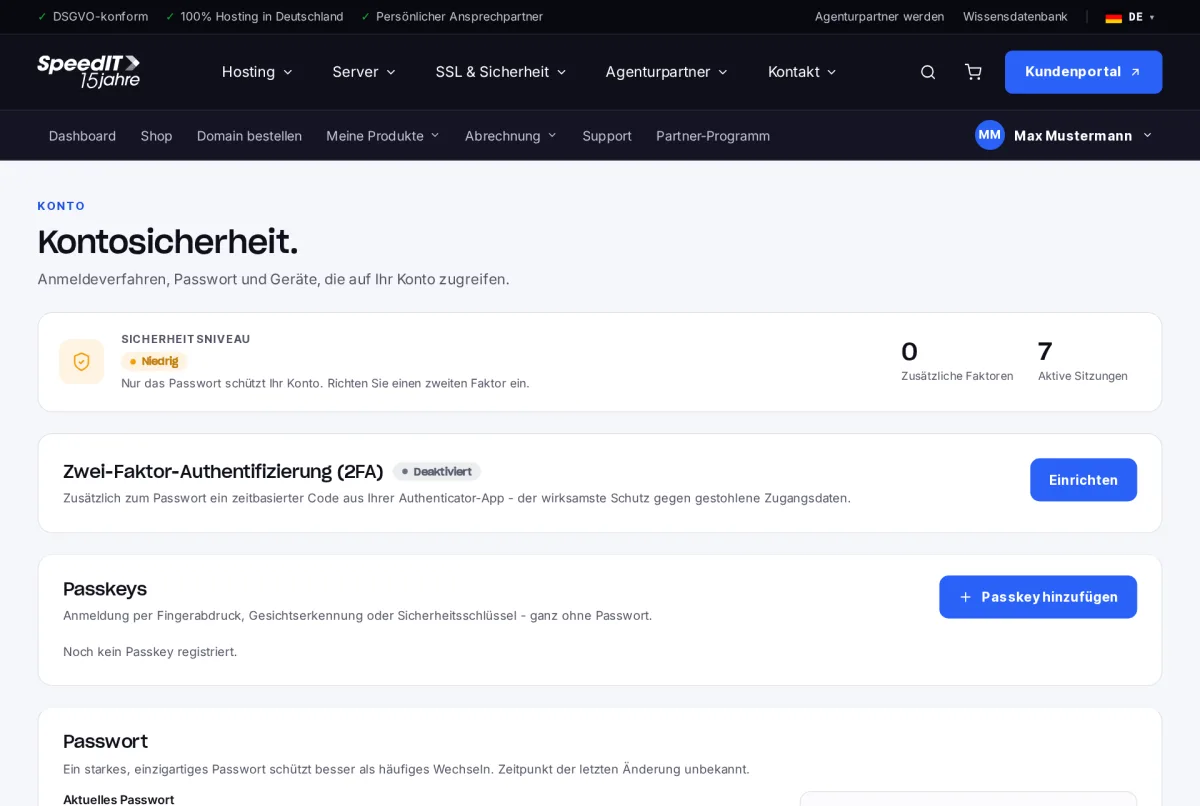
Customer Area: Account security with two-factor authentication and passkeys
Account security: security level, two-factor authentication and passkeys.

Prerequisite

You’ll need an authenticator app, such as Google Authenticator, Microsoft Authenticator, Aegis or your device’s password manager.

How to set up 2FA

  1. Go to Your Name → Security.
  2. Under ‘Two-factor authentication (2FA)’, click Set up.
  3. Scan the QR code displayed using your authenticator app.
  4. Enter the code from the app and confirm.
  5. Save the recovery codes displayed in a safe place.

The security level at the top of the page shows you how well your account is protected.

Keep your recovery codes safe

If you lose your smartphone, log in using a recovery code. Keep the codes separate from your smartphone - for example, printed out or stored in a password manager.

Do I have to enter the code every time I log in?
Yes, every time you log in. As long as your session is active, we won’t ask for the code again.
Can I use 2FA and passkeys at the same time?
Yes. The two methods complement each other - you use a passkey to log in without a password, whilst 2FA protects the password-based login.

Was this article helpful?

New to SpeedIT Solutions?

Hosting where you know someone.

What you are reading here is what we put into practice for our customers every day. Based in Isernhagen since 2009 - with dedicated contact persons rather than a call centre.

  • 100 % Hosting in Deutschland
  • DSGVO-konform
  • Persönlicher Ansprechpartner
  • Bereitstellung innerhalb von 24 Stunden
4.9 88 reviews on Expeero

Bester Hoster Überhaupt

Ich bin mit allem zu 100% zufrieden. Ich nutze diesen Anbietern schon jahrelang! Nie Probleme gehabt.
Michael G.Recommends us · 08/07/2026

100 % recommend us · Expeero

All reviews on HOSTtest (opens in a new window)

You might also be interested in:

Personal support

Of course, our support team is also happy to assist you personally. If you cannot find what you are looking for in our knowledge base or require personalised support, please do not hesitate to contact us. We’re here to help you and to ensure that your experience with our products and services is as smooth and enjoyable as possible.