


If you wish to transfer a domain to another provider, they will require the auth code (also known as AuthInfo). This confirms that you are authorised to transfer the domain.
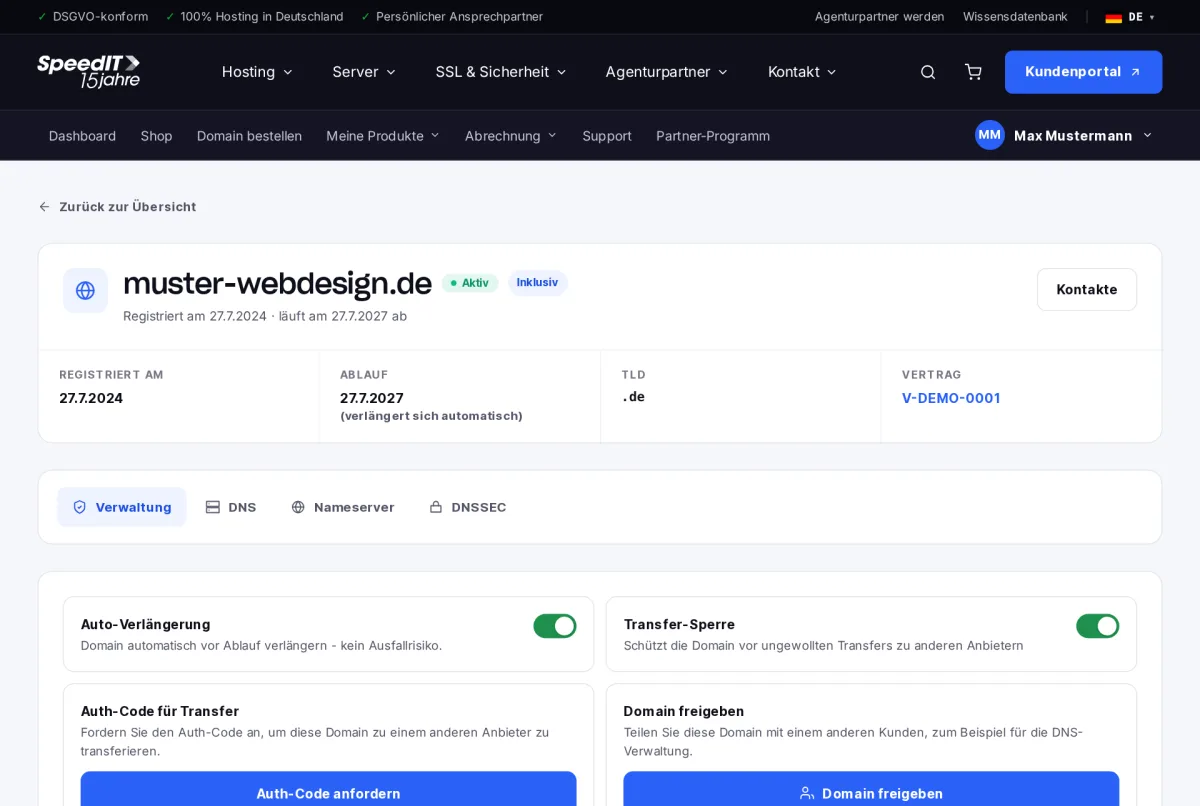
How to transfer a domain
- Open the domain under My Products → Domains.
- In the ‘Management’ tab, disable the transfer lock.
- Click on ‘Request Auth Code’. The code will be displayed immediately - copy it.
- Enter the auth code with your new provider and start the transfer there.
Things to bear in mind before the transfer
- Update the DNS records with the new provider to ensure your website and email remain accessible.
- Do not cancel your domain contract with us until the transfer is complete.
Validity of the auth code
The authentication code is only valid for a limited time. You should therefore initiate the transfer as soon as possible after requesting it.
How long does it take to transfer a domain?
.de domains are usually transferred within a few hours. For other domain extensions, it can take up to five days.
Do I need to cancel the domain with SpeedIT?
Once the move has been successfully completed, your registration with us will end. Please cancel the relevant contract to ensure that no further charges are incurred.