


Each domain has contacts for different roles: Owner (Owner-C), Administrator (Admin-C), Technical (Tech-C) and Billing (Billing-C). These contact records are called ‘handles’. You can manage them under Domains → Contact Management.
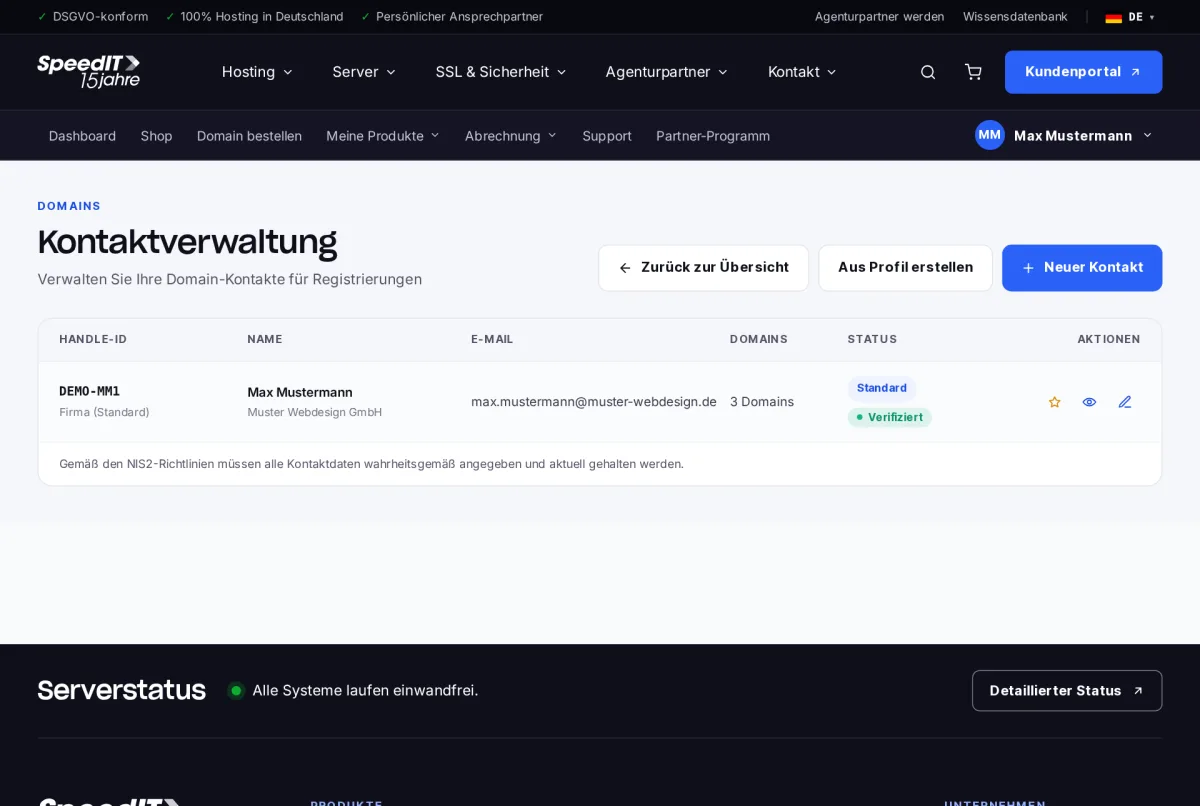
Create a new contact
- Click on ‘New contact’ - or on ‘Create from profile’ to import your master data.
- Fill in the name, address, telephone number and email address in full.
- Save the contact. It will be assigned a handle ID.
Assign a contact to a domain
In the domain details, you can view the current assignments under ‘Domain contacts’. Click ‘Edit’ to select a different contact for each role.
Provide accurate contact details
In accordance with the NIS2 guidelines, all contact details must be provided truthfully and kept up to date. Incorrect information may result in a domain being suspended.
Why do I have to confirm a contact?
Registrars require confirmation of the email address when owner details are added or amended. You can view the status in the contact management section.