


Under ‘Your Name’ → ‘Payment Method & Direct Debits’, you can specify how your invoices are to be paid, which direct debits apply and when payments are to be collected.
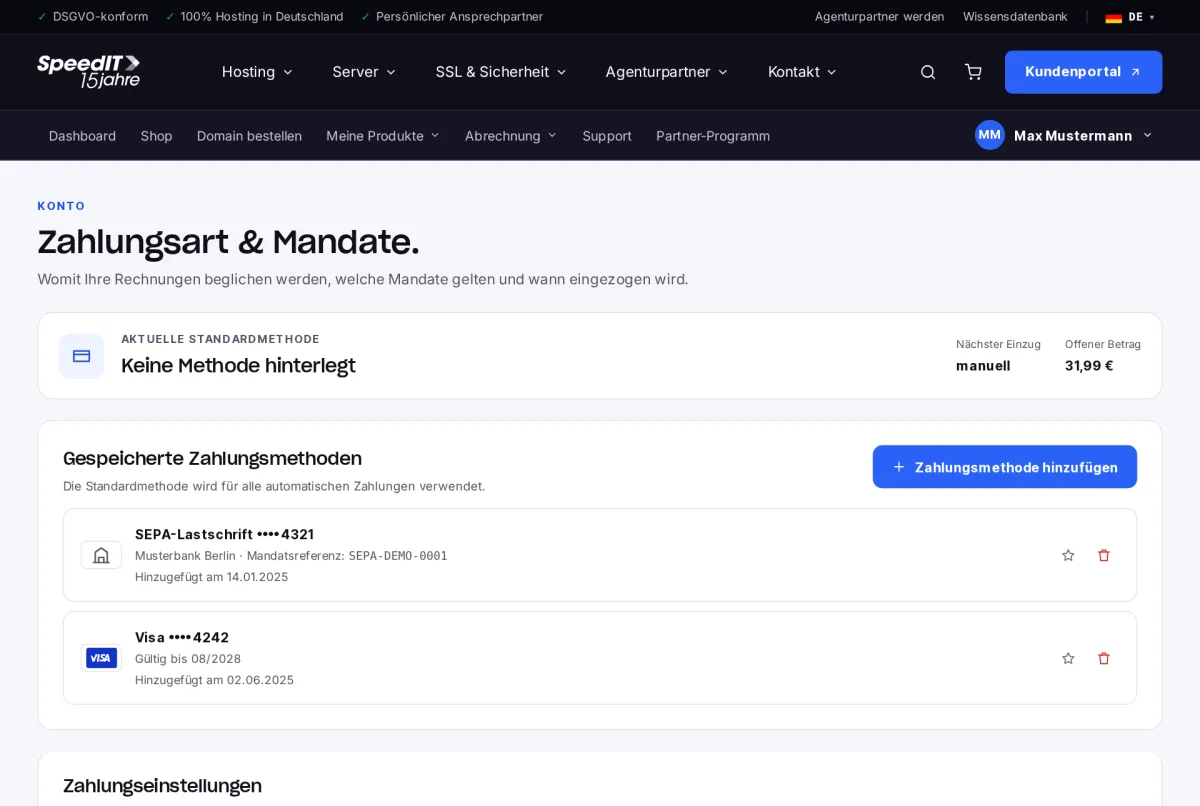
Add a payment method
- Click on ‘Add payment method’.
- Select SEPA Direct Debit or credit card and enter the details. Your details are entered securely via our payment service provider.
- For SEPA Direct Debit, you authorise us to take payments via direct debit. You will then see the authorisation reference in the list.
Set default method
The default method is used for all automatic payments. Set it in the list of your saved payment methods.
Enable automatic payment
In the ‘Payment settings’ section, you can enable automatic payment. Outstanding invoices will then be paid using your default method. Selecting ‘Apply credit balance first’ means any existing credit balance will be applied before the payment is taken.
New cases are subject to a brief review
We carry out a one-off check on newly submitted direct debit authorisations before the first payment is taken. You can view the status directly under the payment method.
Does SpeedIT store my map data?
No. Card details are stored exclusively by our certified payment service provider. We only see the card brand, the last four digits and the expiry date.
Can I delete a payment method?
Yes. If it is set as the default, you must first set a different method as the default.