


In the customer portal, you can manage everything you’ve signed up for with SpeedIT - from web hosting, domains and SSL certificates to cloud servers, email security and CDN. Once you’ve logged in, you’ll be taken to the dashboard, the home page of the customer portal.
The Dashboard
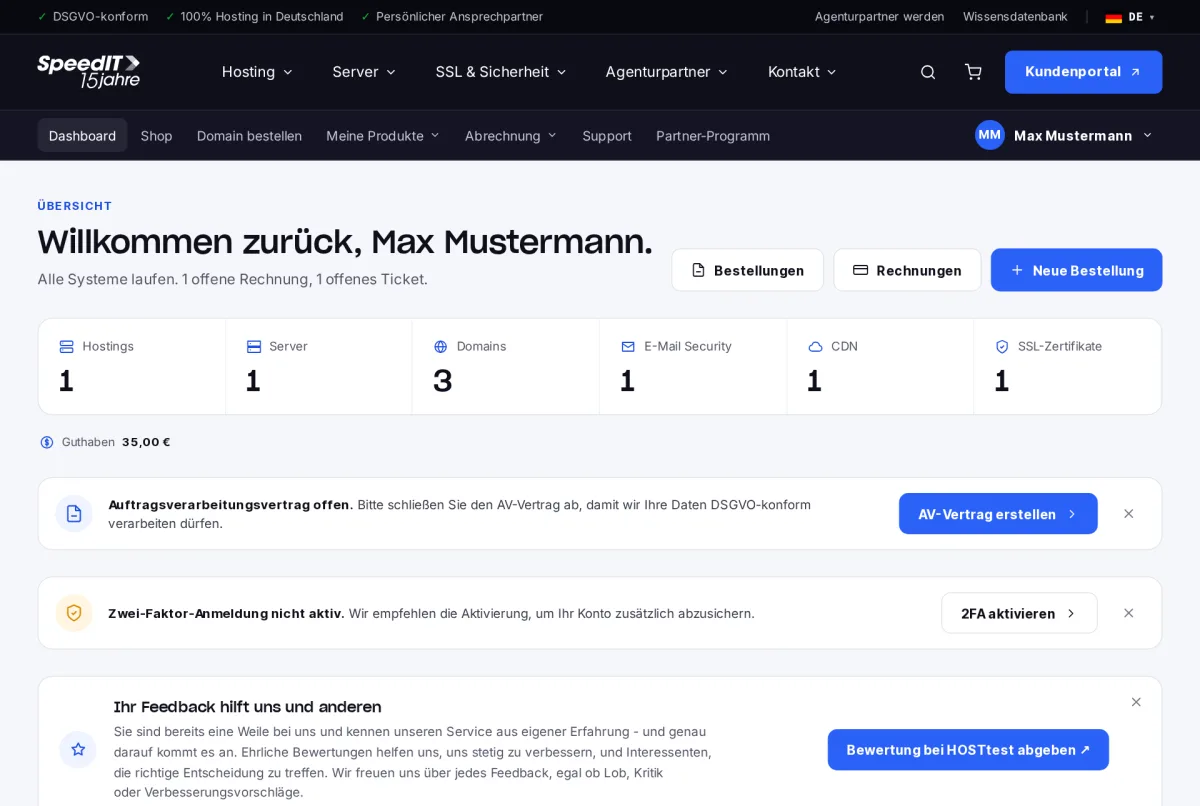
At the very top, the customer portal welcomes you with a brief summary, such as how many outstanding invoices or tickets there are. Below that, you’ll see the number of your products in each category - clicking on a tile takes you directly to the relevant overview.
Notes and recommendations
Notices that require your attention appear below the tiles. Typical examples:
- Data Processing Agreement pending - you can complete the DPA directly online.
- Two-factor authentication not active - we recommend setting up a second authentication factor for your account.
Tickets, orders and invoices
At the bottom of the page, you’ll find your support tickets, recent orders and outstanding invoices. Tickets awaiting your reply are highlighted.
Navigation
You can access all sections via the menu bar:
- My products - web hosting, domains, SSL, servers, email security and CDN
- Billing - Invoices, contracts, orders and credit balances
- Support - Create and reply to tickets
- Your name (top right) - Profile, payment methods, security and account access
A tip to get you started
Set up two-factor authentication and add a payment method straight after logging in for the first time. This will keep your account secure and ensure that invoices are paid automatically.