


The Webmailer offers a signature function, which allows you to automatically add a predefined text at the end of your email.
Webmail - Setting up a signature
First, log in to your webmail client, which you can access via the URL “https://webmail.IhrHostingServername.de”. To do this, use the email address you have set up and the corresponding password.
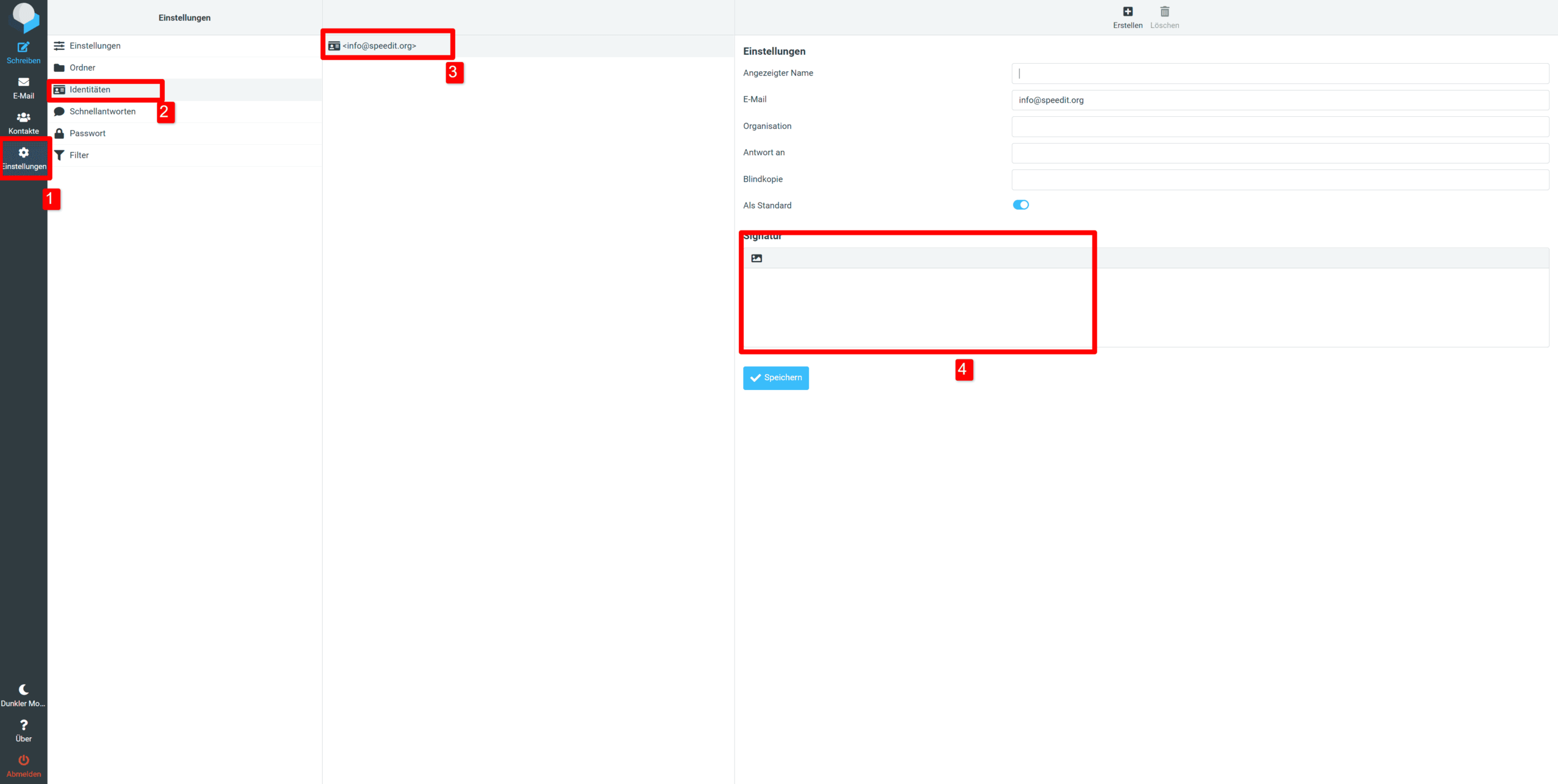
Next, click on ‘Settings’ on the left-hand side, then select ‘Identities’. Select your email address and enter your signature in the field on the right. Here, you can insert any text, images or HTML elements you wish.
Important: The signature you set will only be used for emails sent via the webmail client.