


For our hosting and managed server customers, we offer the use of the free Let’s Encrypt SSL certificate across all packages at no extra charge.
Activate Let’s Encrypt certificate
You can activate the free basic SSL protection for your domain directly via the web hosting control panel.
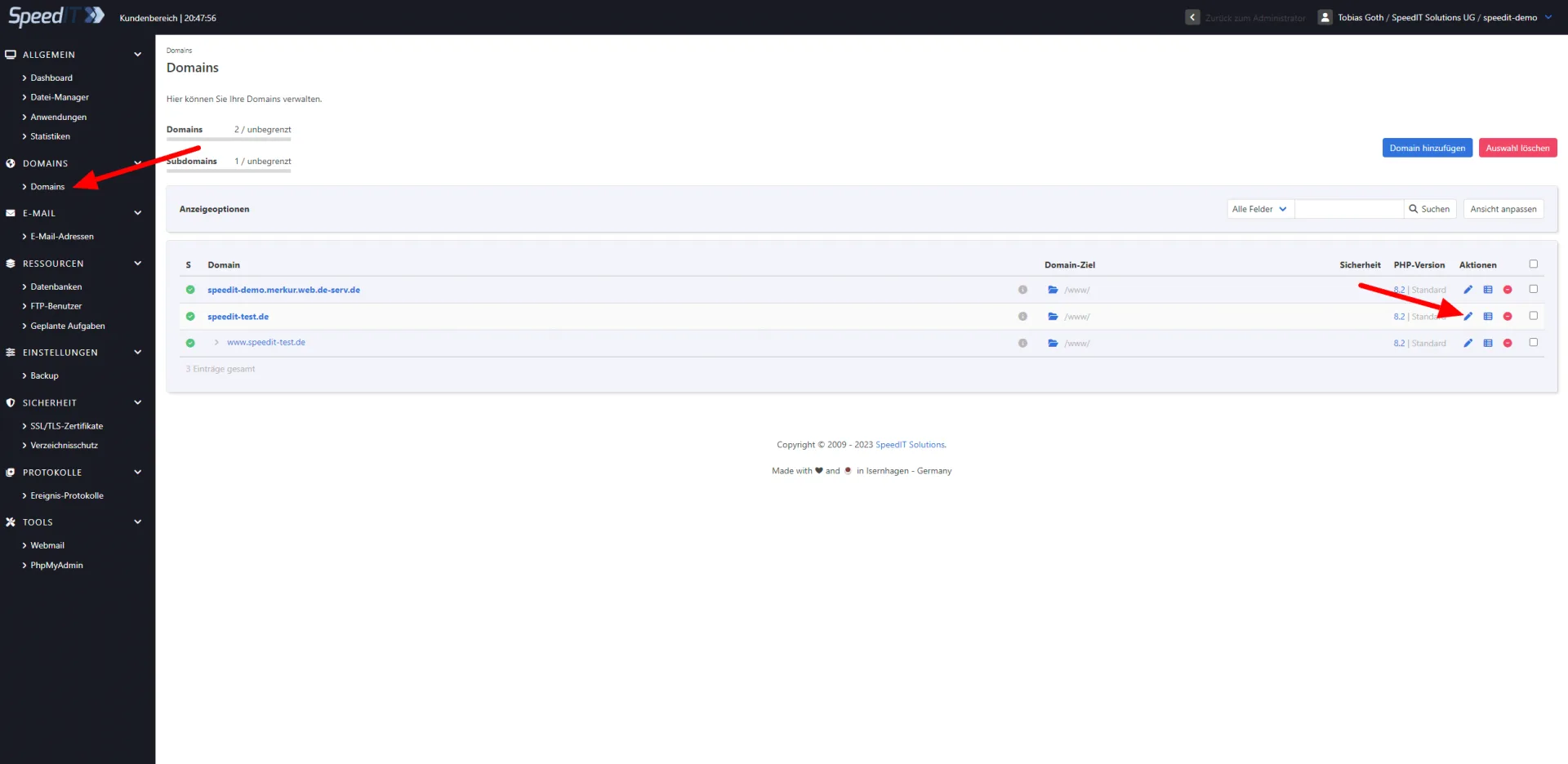
To do this, log in to your system, click ‘Edit’ (pencil icon) next to the relevant domain, and then select ‘Security’.
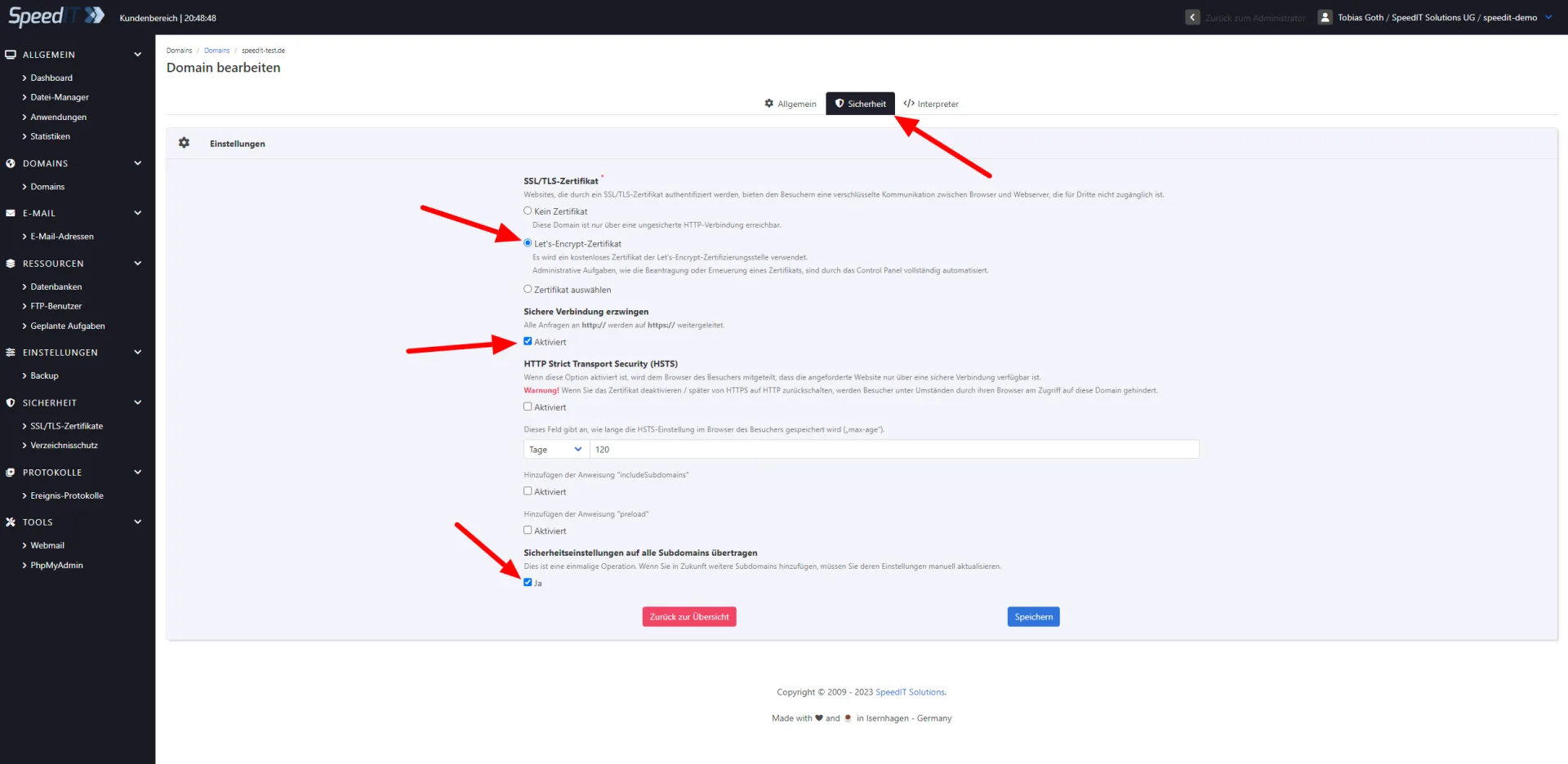
Here, select the Let’s Encrypt certificate and configure the SSL certificate according to your requirements. Then click ‘Save’ - activation is quick and easy.
Below are a few screenshots of the configuration interface showing our recommended settings for all pages.
Important note: To activate Let’s Encrypt SSL certificates, the domain must point to the relevant server via DNS!
-
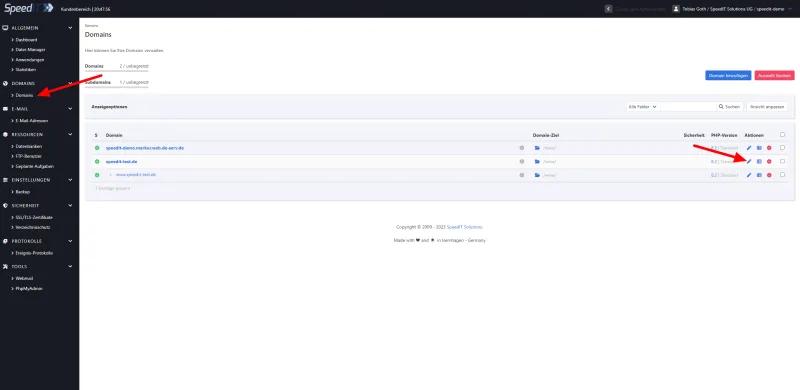
KeyHelp - Setting up SSL - Domain overview -
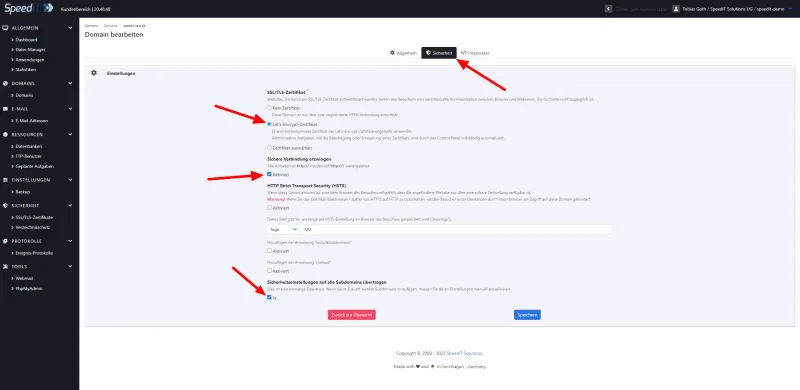
KeyHelp - Setting up SSL - Configuring a Let’s Encrypt certificate
Renew your Let's Encrypt certificate
Certificate renewal is fully automated via our web hosting control panel, so you don’t need to worry about it and can always enjoy up-to-date SSL protection.