


To store your SSH key on our hosting servers, all you need is access to the web server control panel (KeyHelp) for the relevant server.
Storing an SSH key on the hosting server
- Log in to the web server control panel (KeyHelp)
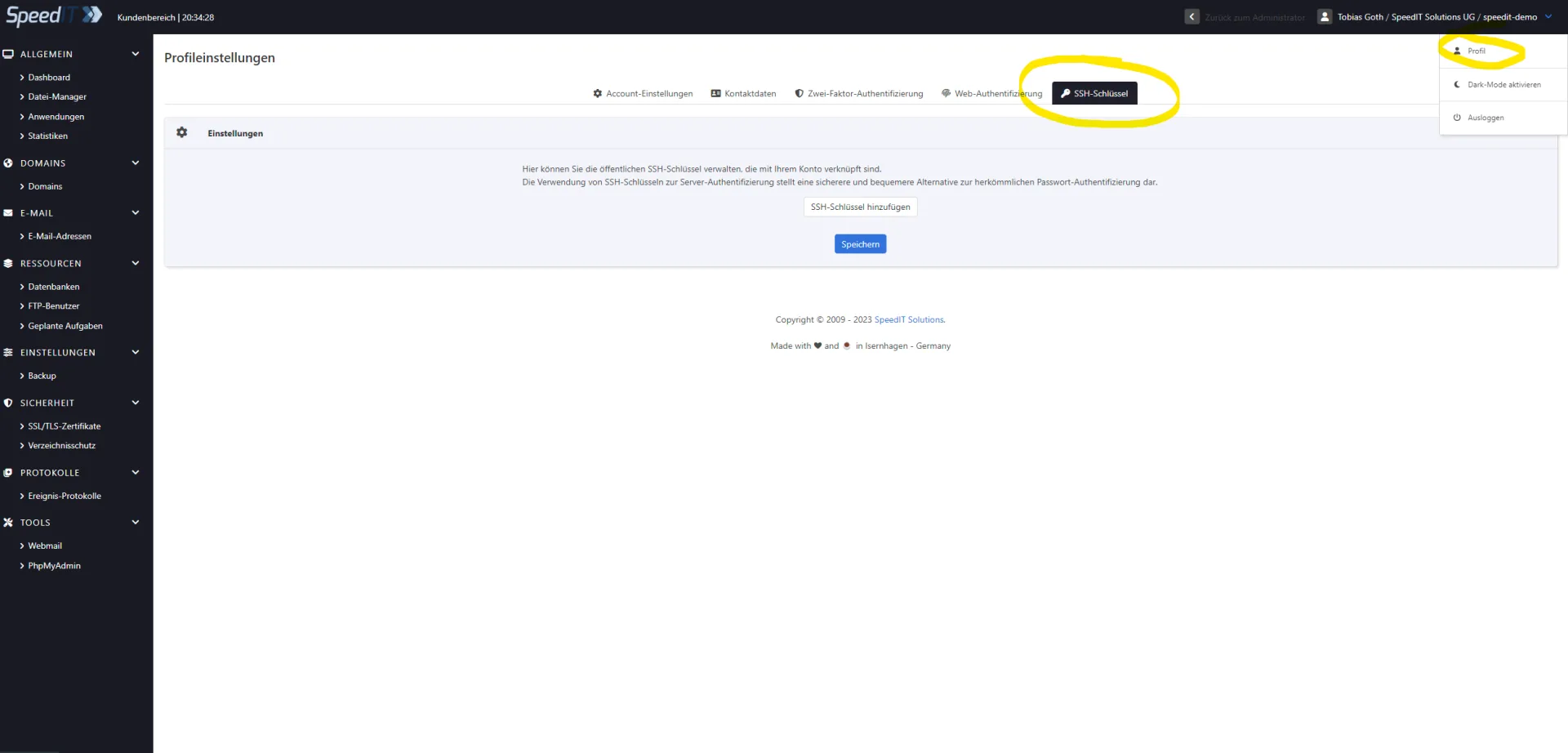
- Select ‘Profile’ from the drop-down menu in the top right-hand corner
- In the profile, go to the ‘SSH Keys’ section and then click ‘Add SSH Key’
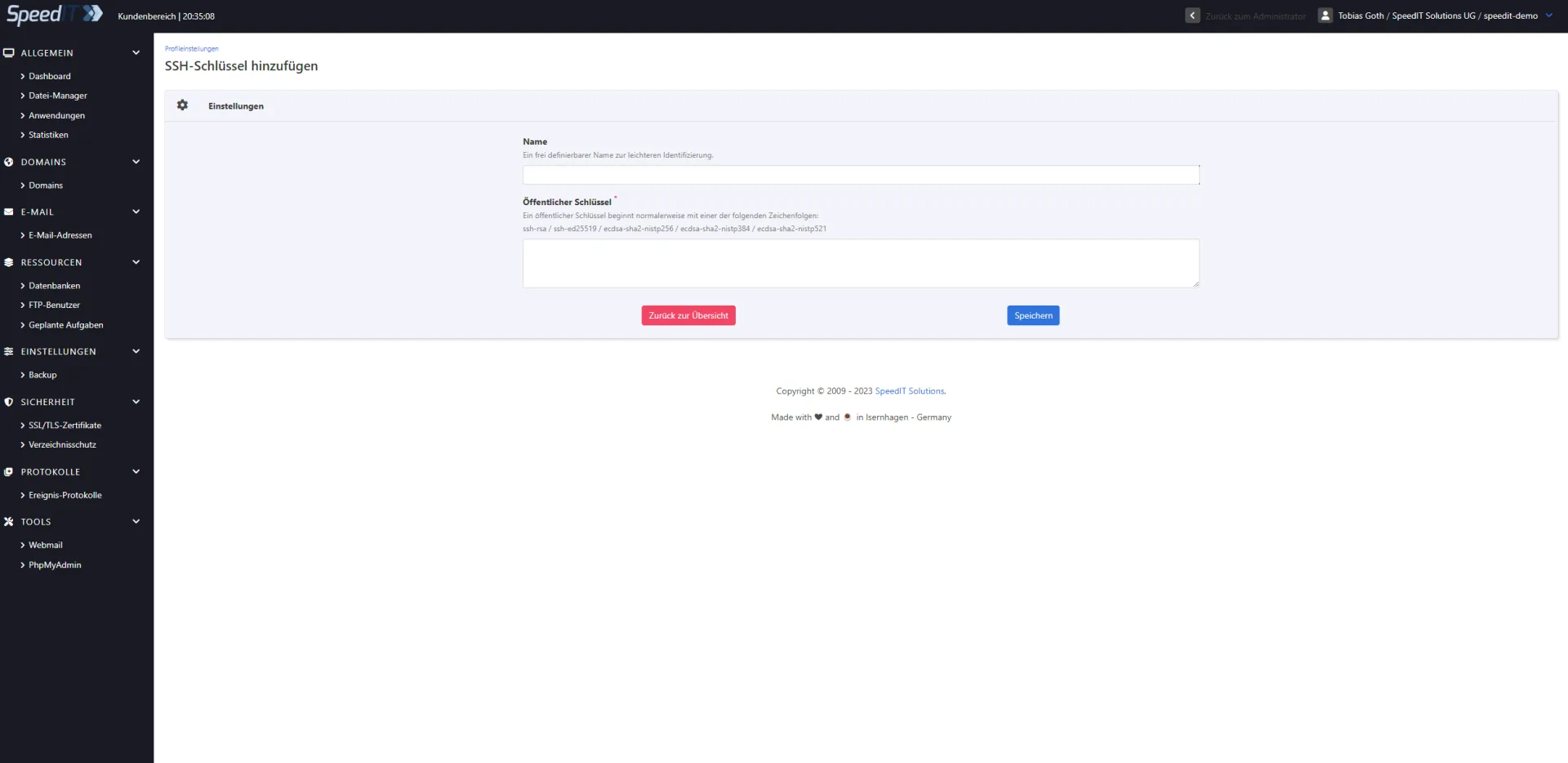
- Paste your public key into the text field and then click “Save”.
Attached you will find the steps above repeated in an illustrated guide with screenshots.
-
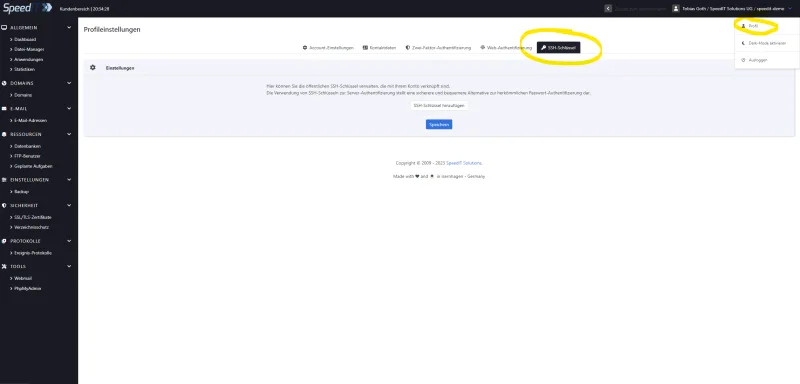
KeyHelp - Add an SSH key -
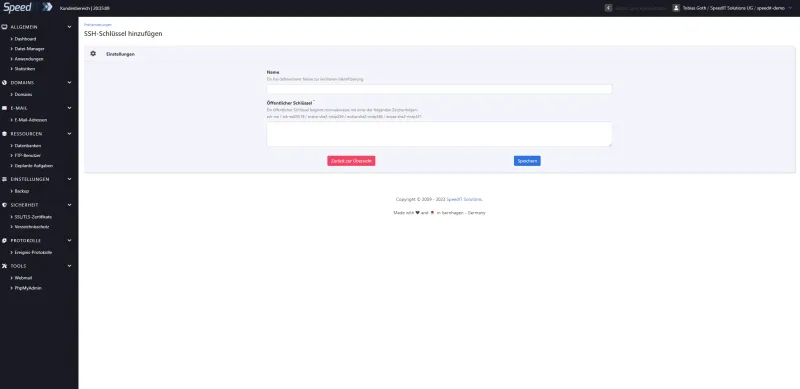
KeyHelp - Add SSH Key - Input form
You can then connect to the server using SSH key authentication. For further information on this, please refer to the following articles in our knowledge base.
Further help articles on this topic
SSH public-key authentication - generating
a key;
establishing an SSH connection to the webspace