We offer you the option to choose from a range of solutions for two-factor
authentication
(also known as two-step, two-way authentication or 2FA - Two-Factor Auth
).
It is important to note that we need to differentiate between platforms here, as different software is currently in use.
Customer Area
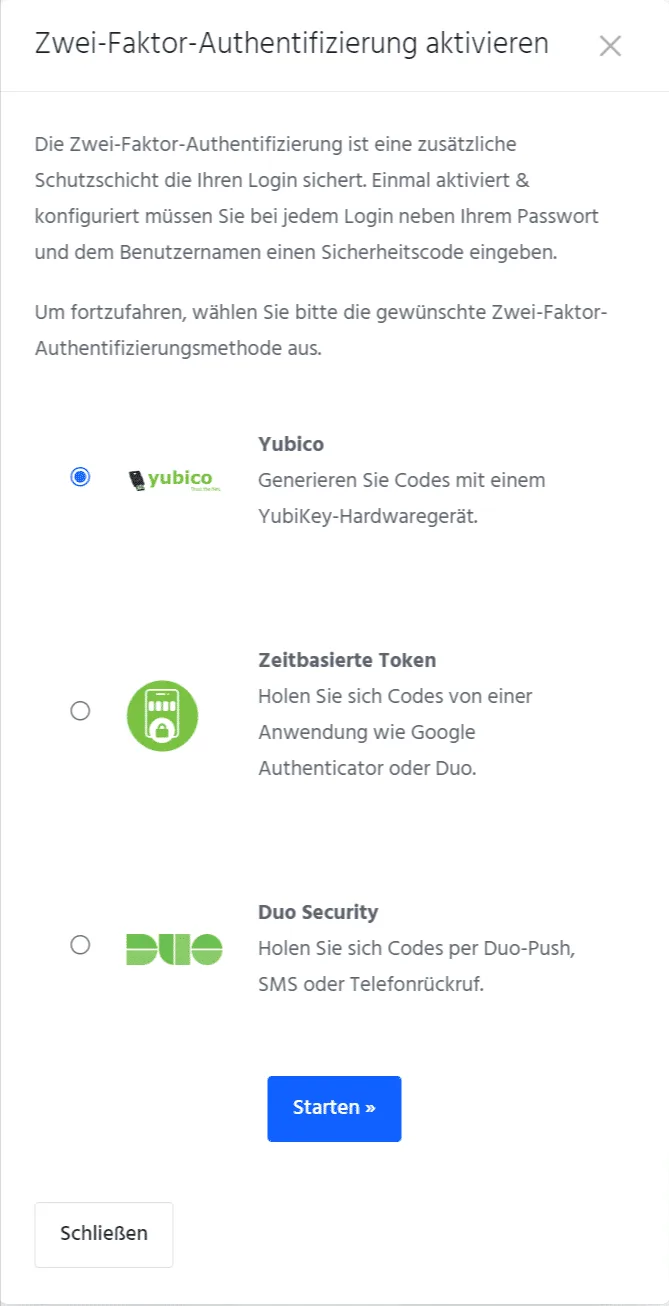
In our customer area, we offer the following two-factor authentication solutions to choose from:
- Yubico (YubiKey hardware token)
- Time-based tokens (authenticator apps, such as Google Authenticator, Authy, Microsoft Authenticator, etc.)
- Duo Security (codes via Duo Push, SMS or phone call)
Our recommendation here is quite clear: use a YubiKey for genuine two-factor authentication via a hardware token, which offers the highest level of protection.
Set-up
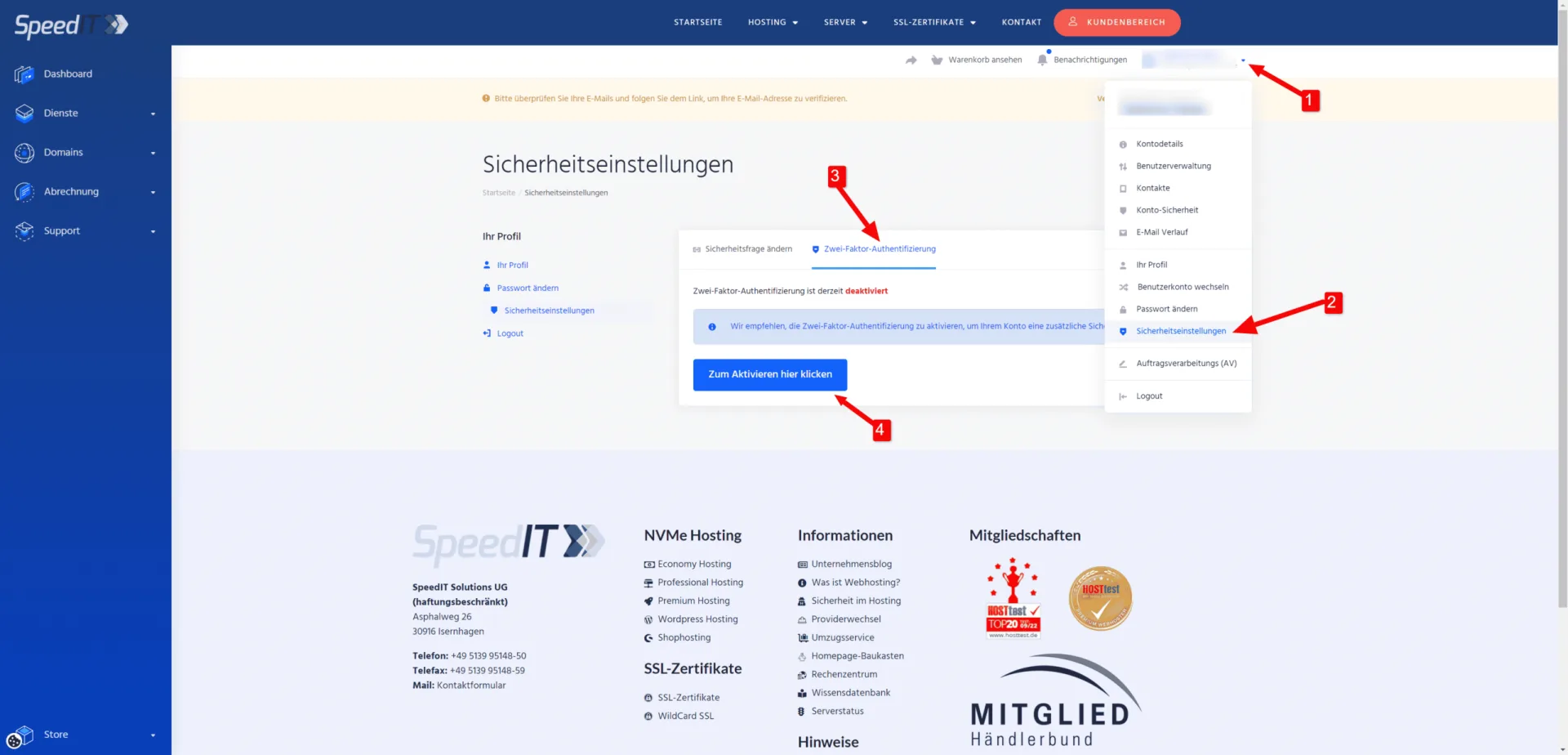
Set-up is quick and easy via the customer portal in the security settings.
Here you will find a brief, illustrated guide to activating two-factor authentication in the customer portal.
-
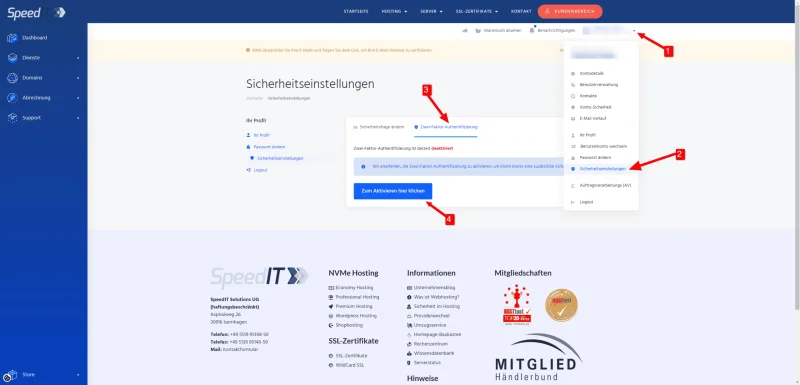
Two-factor authentication - Settings -
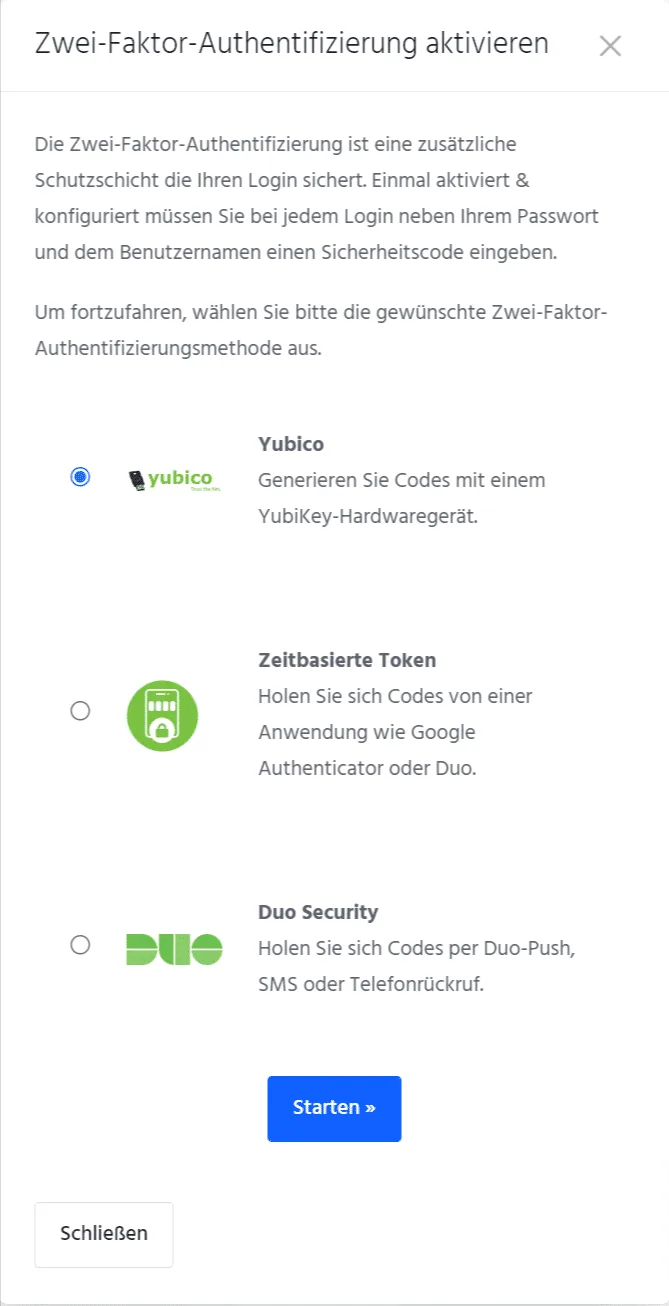
Two-factor authentication - options
Web servers
For our web servers, we currently rely on the KeyHelp software; unfortunately, this currently only offers the option of two-factor authentication via time-based tokens (Authenticator app) or via FIDO2 tokens / WebAuthn.
Set-up
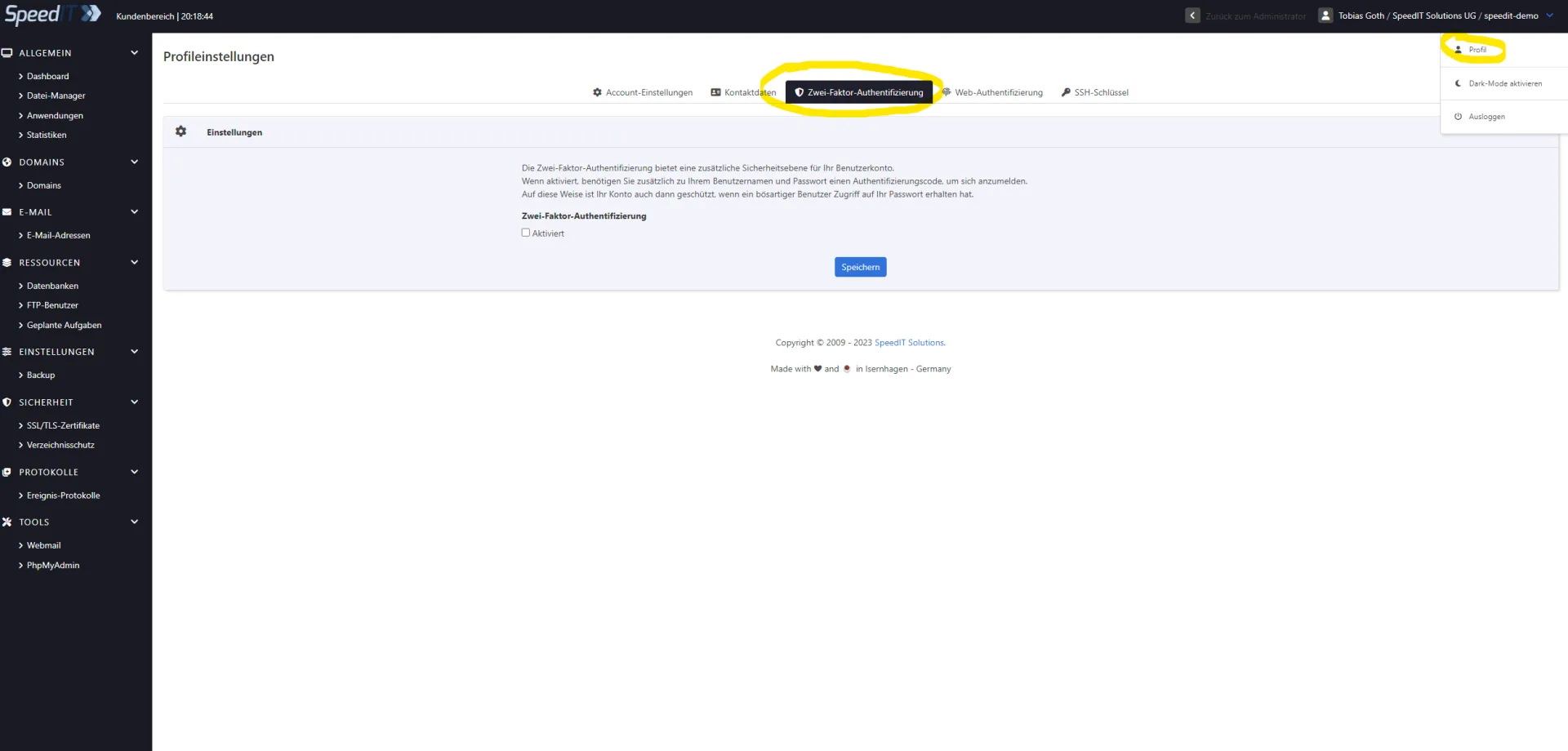
Set-up is carried out after logging in to the web server control panel; here, select ‘Profile’ in the top right-hand corner.
You will then be presented with two options:
- Two-factor authentication
- This option allows you to set up two-factor authentication via an authenticator app (token-based).
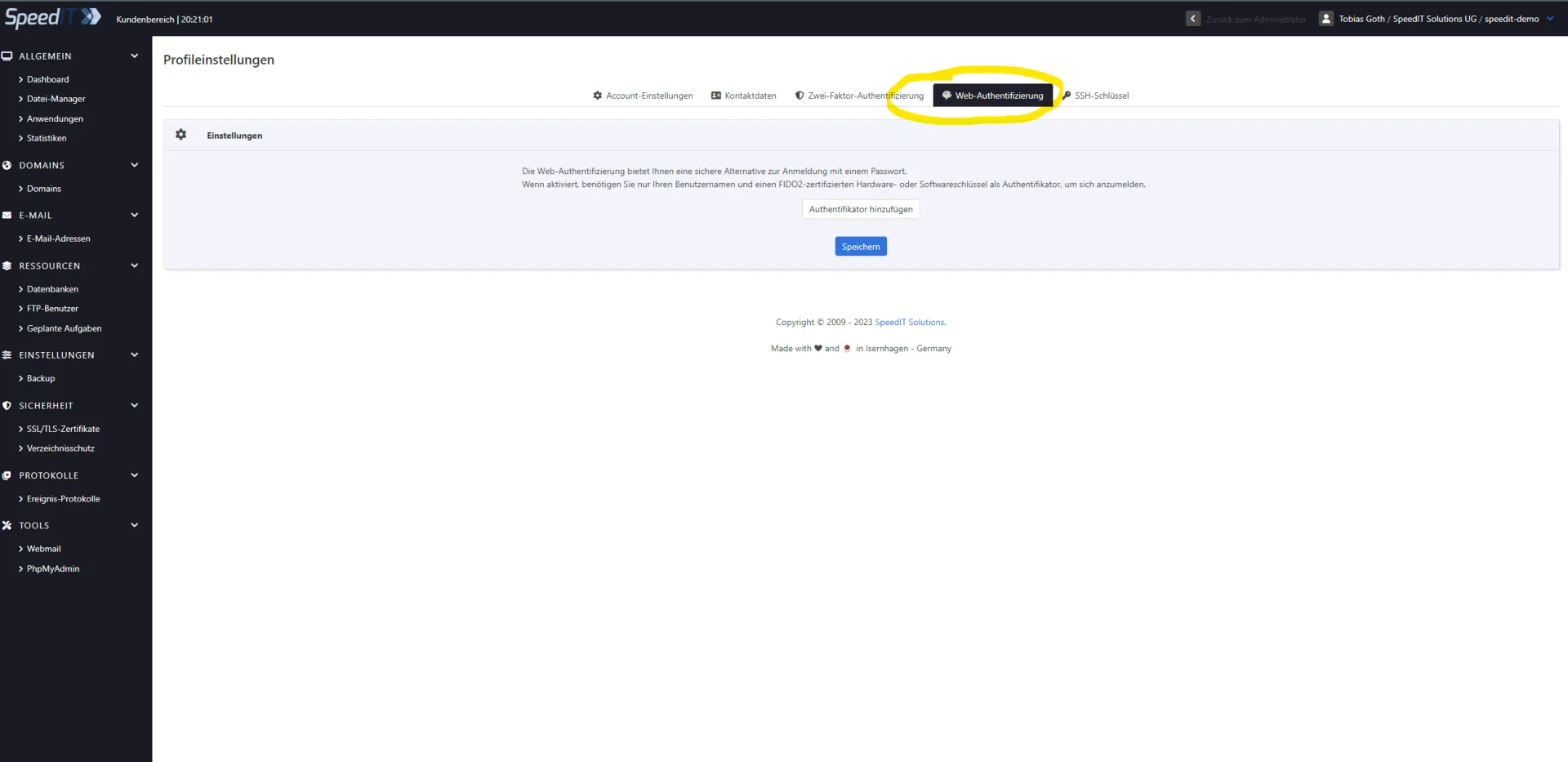
- Web Authentication
- This option allows you to set up two-factor authentication using a FIDO2-certified hardware or software key (WebAuthn).
Here you will find a brief, illustrated guide on how to enable two-factor authentication in the KeyHelp Web Control Panel.
-
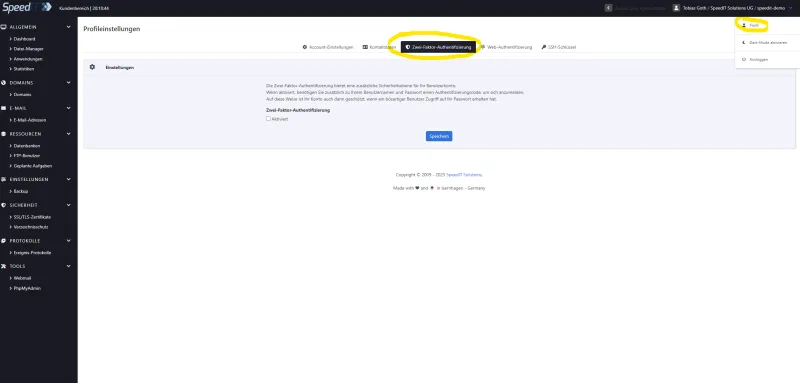
KeyHelp - Setting up two-factor authentication via an app/authenticator -
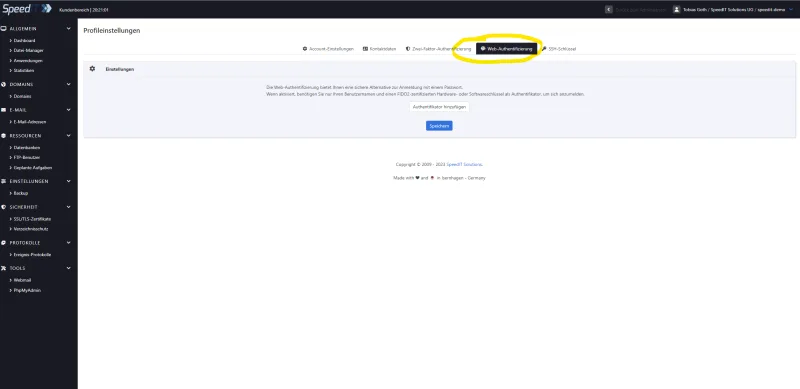
KeyHelp - Setting up two-factor authentication via FIDO