


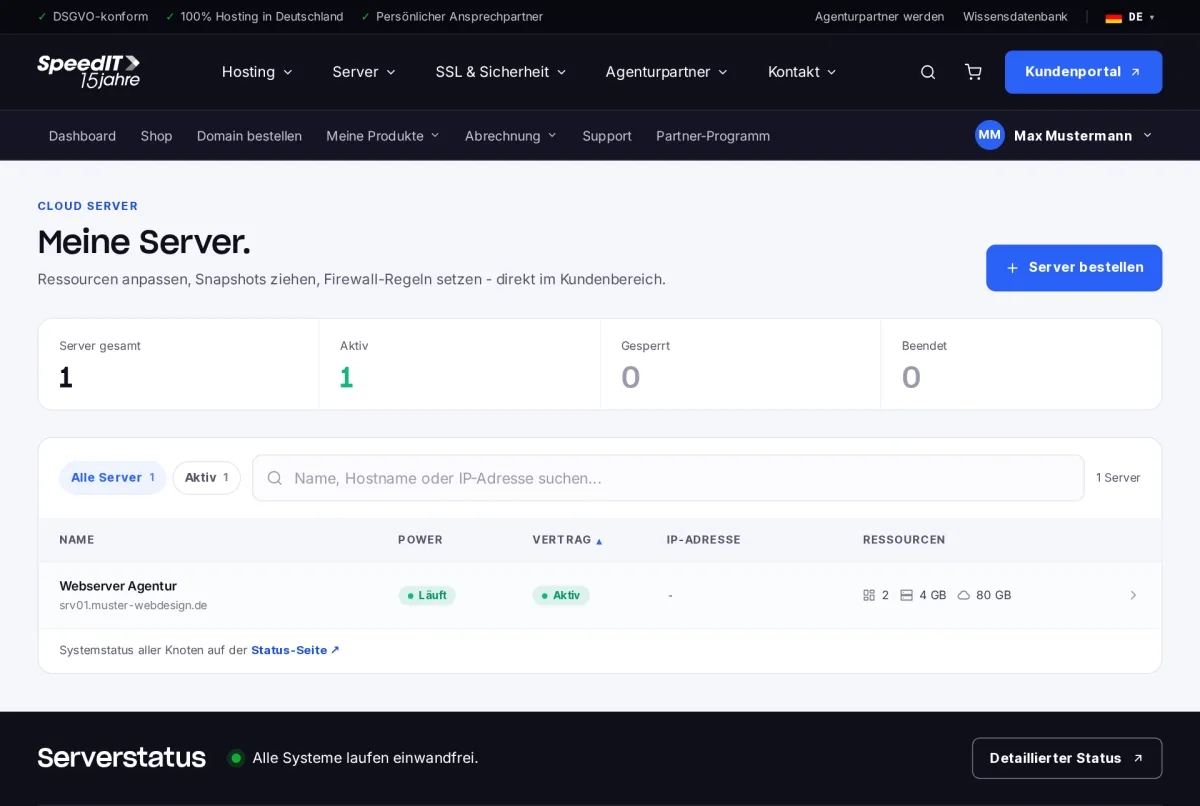
Under ‘My Products’ → ‘Servers’, you can view all cloud servers, including their power status, contract details, IP address and resources.
Server details
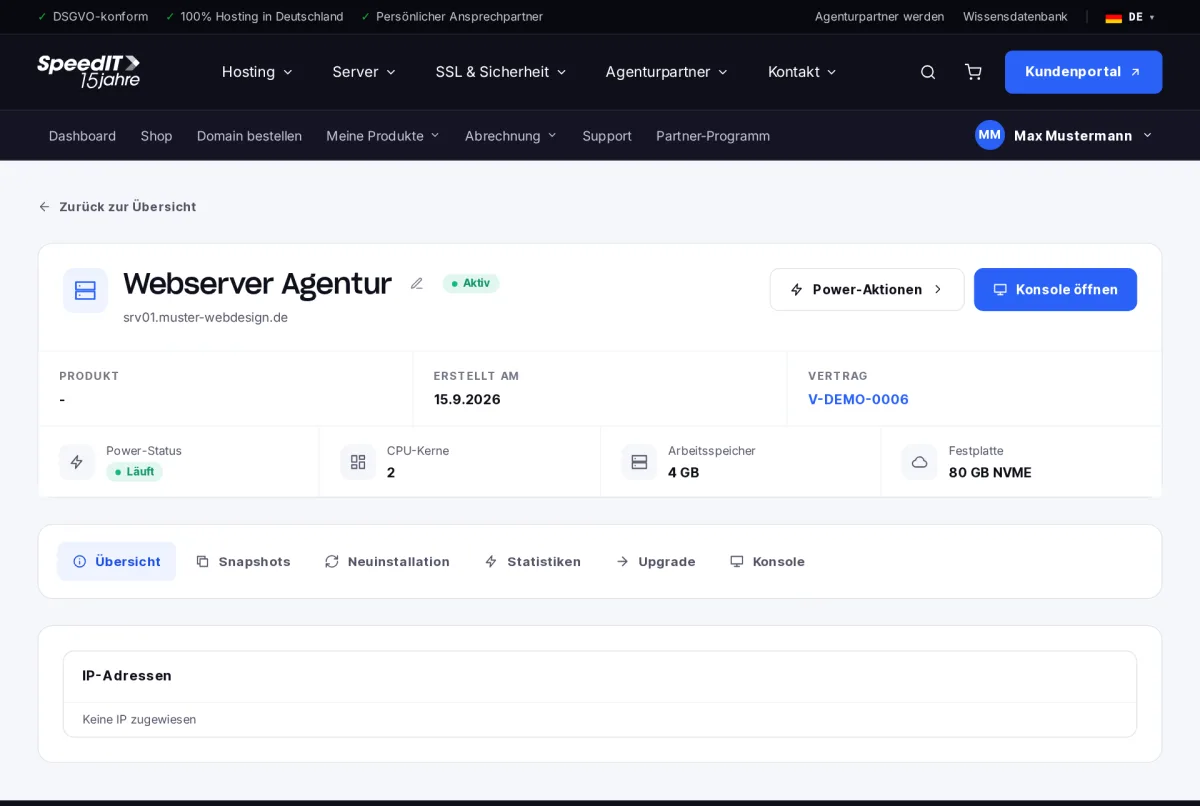
At the top, you can see the power status, CPU cores, RAM and hard drive. Use the Power actions to start, stop or restart the server.
The tabs
- Overview - IP addresses and key data
- Snapshots - back up the current state and restore it if necessary
- Reinstallation - reinstalling an operating system
- Statistics - CPU, RAM, hard disk and network utilisation
- Upgrade - allocate additional resources
- Console - Access the server directly in your browser
Console in the browser
By selecting ‘Open Console’, you can access your server’s screen directly - even if SSH is temporarily unavailable, for example due to a faulty firewall rule.
Snapshot before major changes
Take a snapshot before installing updates or making configuration changes. A clean reinstallation will irrevocably delete all data on the server.
How many snapshots can I create?
The number depends on your plan. You can see how many snapshots you have left in the ‘Snapshots’ tab.
What is the difference between restarting and switching off and on?
A restart shuts down and restarts the operating system properly. You should only use the ‘Power off’ option without shutting down if the server is no longer responding.